
Overview
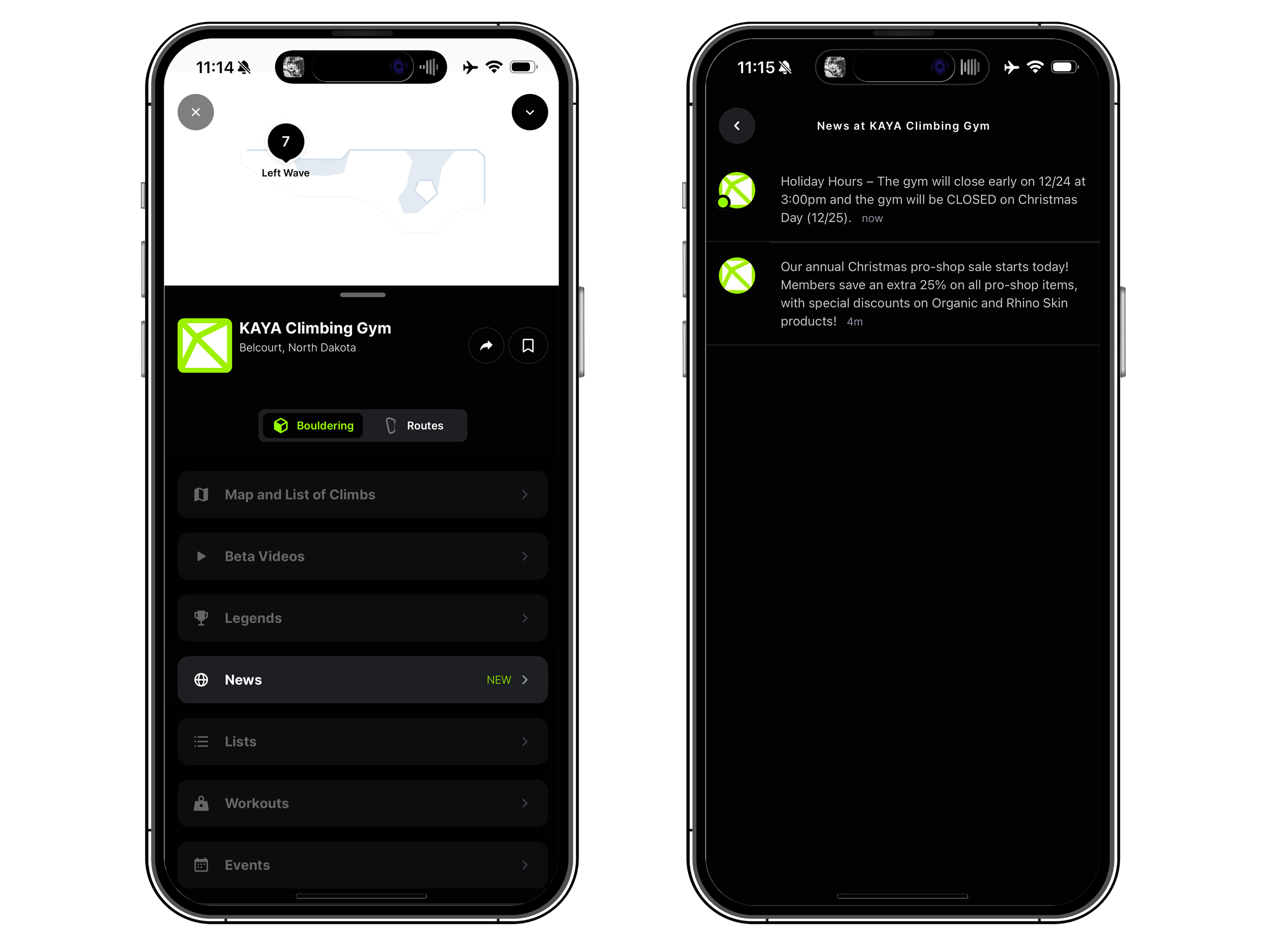
The News Feed is a new communication channel in KAYA Gym that lets you share important announcements with your community. When you publish a post with the News feed, KAYA automatically sends a push notification to followers of your gym.
Availability
Available now on KAYA Gym.
How it works
You create text posts in KAYA Gym in your News tab. Once a post is created, it will automatically appear on the News menu in your gym's profile on the mobile KAYA app. Users following your gym will receive a notification and a push notification to their phones.
Who can post
KAYA Gym Enterprise subscribers
Users with the Admin or Marketing & Events role
What to use The News Feed for
Use The News Feed for important updates that members shouldn’t miss, such as:
Hours changes and holiday schedules
Closures (weather, maintenance, events)
Event announcements and reminders (comps, clinics, demos)
Time-sensitive updates that impact a same-day visit
For communication other details like signing a waiver, membership info and rates, and class sign-ups, use The Digital Front Desk instead.
How to create a post
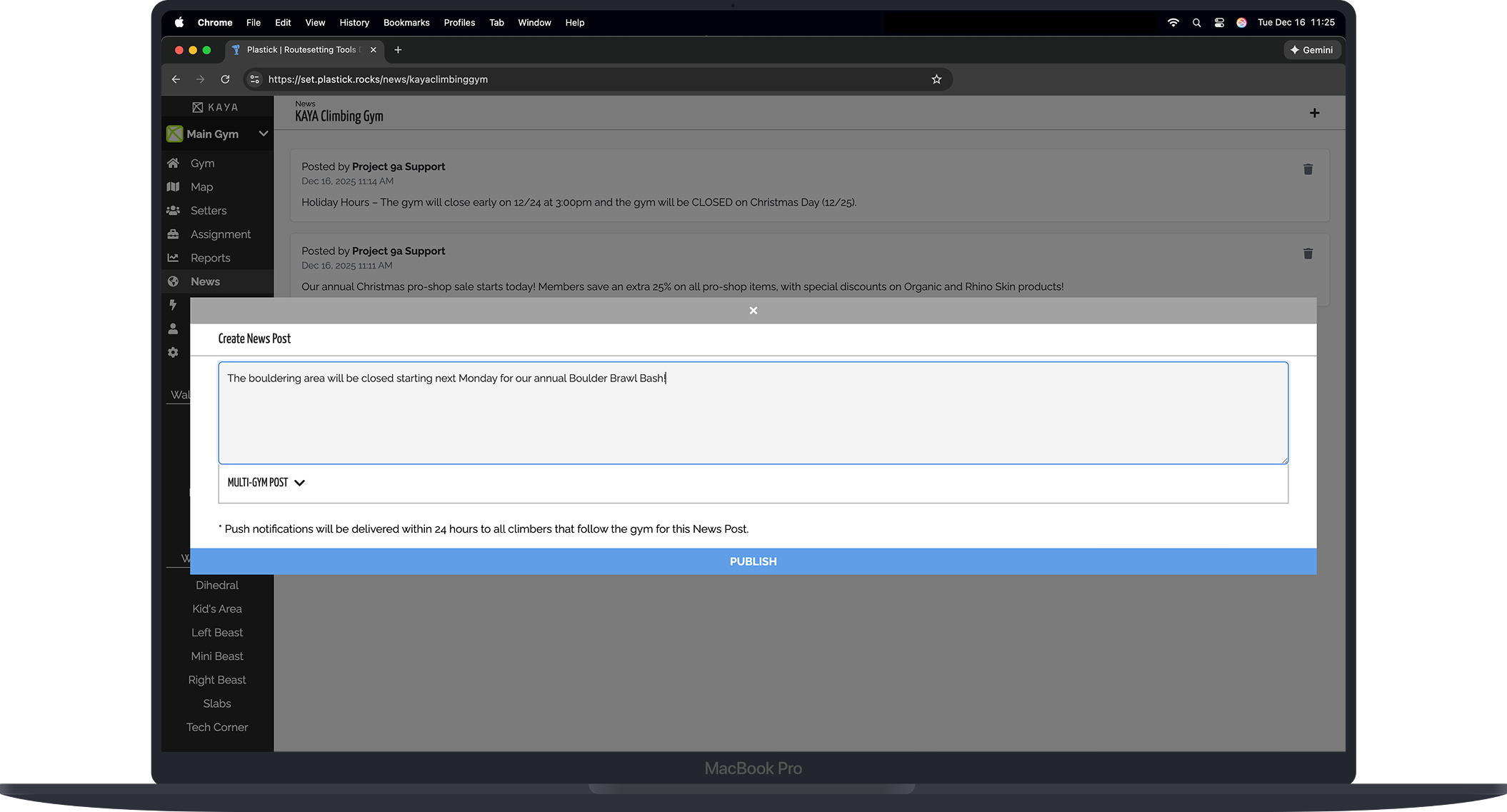
In KAYA Gym, open “News” from the navigation menu
Select the plus, “+”, icon
Enter your message
Click “Publish”
After publishing:
The post appears in the News menu on your gym's profile in the KAYA mobile app
Followers of your gym receive a notification in their notifications tray
A push notification is automatically scheduled to be sent to followers of your gym*
*Users must have push notifications enabled. Due to the limited number of notifications a user can receive in one day, not all users will receive a push notification.
Writing guidelines
Every post you add to the feed will trigger a push notification, even if every user may not receive one. It's important to follow these guidelines for posting:
Do
Keep your message to one topic per post
It helps to add a short subject so your members easily understand what you are communicating:
“Hours:”
“Event:”
“Update:”
Keep messages short. The average character limit for a banner notification on a smartphone home screen is around 80 characters before text is cut off.
Don’t
Post one-off messages or post
Combine multiple unrelated announcements into one post
Example posts
Hours: Holiday hours next week (Mon–Wed 6am–10pm). Closed on Christmas Day.
Gym Closure: Closing early today at 7pm due to weather. Check our Instagram for the latest updates.
Event: Comp registration for our annual Boulder Bash is open — sign up now!
FAQ
Who receives notifications?
Followers of your gym in KAYA receive a notification in their notifications tray. Anyone viewing your gym's profile will see a "NEW" alert on the News menu if there are posts they have not yet read.
Are push notifications optional?
No. Publishing a post to the News Feed automatically schedules a push notification to go out within 24 hours.
I can’t access The News Feed. Why?
Your user role isn’t Admin or Marketing & Events
Can we edit or delete posts?
Currently posts are not editable once published. If you notice a mistake, you must delete your post and re-publish it.
What if we posted something incorrect?
If you just posted the message in the last hour, you can delete it and republish a new post before a push notification goes out. If it has been more than an hour, we recommend publishing a new post with corrections as soon as possible. Use a title like “Update:” and clearly state the correction at the top of the message.
Need help?
Submit a ticket or send us an email at support@kayaclimb.com for help